A task takes one line. Finishing it takes a board.
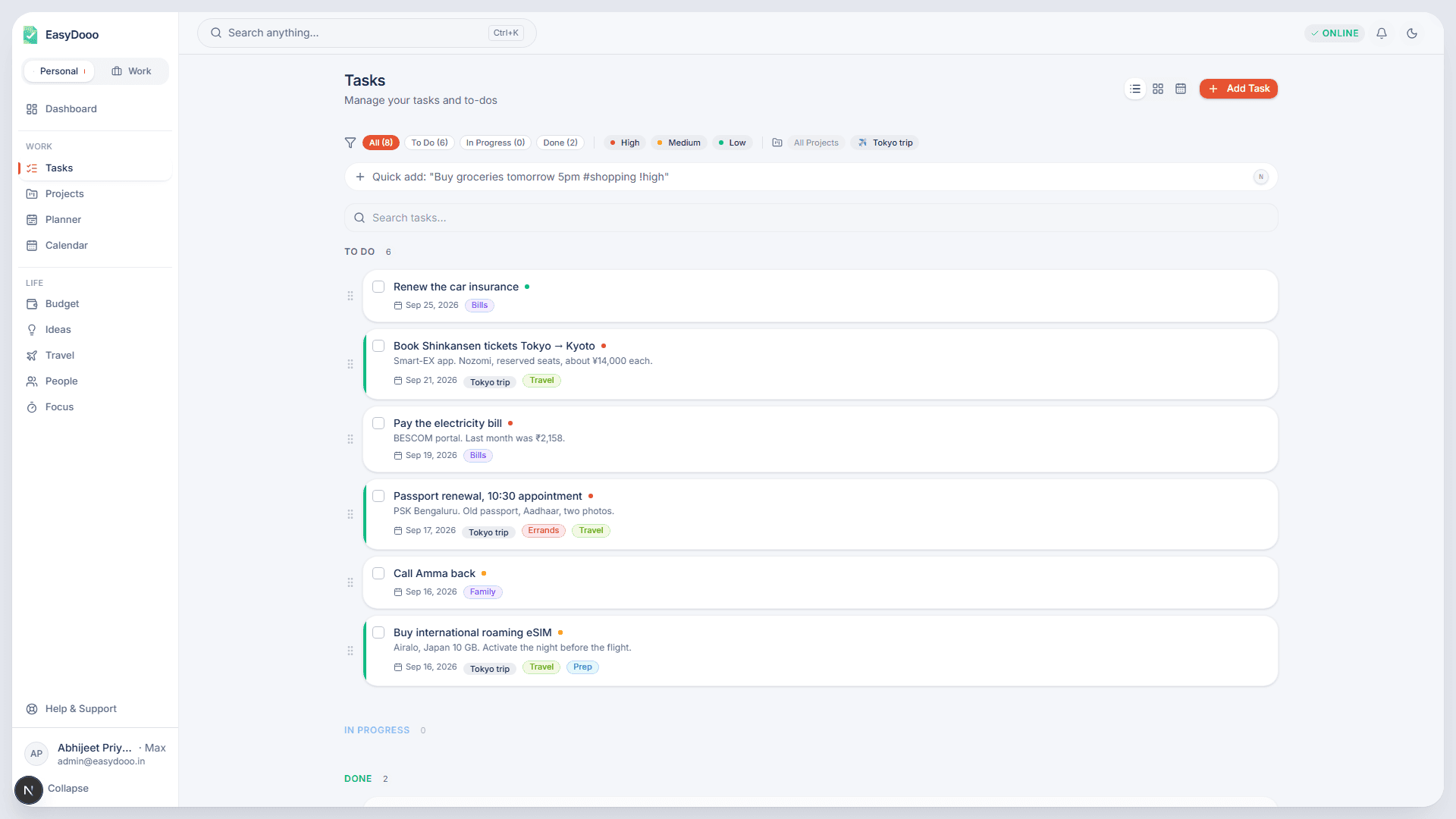
Tasks is the to-do list for whichever workspace you are in. The page shows either your Personal or your Work tasks, never both at once, and every task can be captured in a single typed line or opened for its checklists, comments and time.
Capture in one line
Type into the quick-add bar — pressing N anywhere outside a text box jumps you to it — with !high, !med or !low for priority, #tag for tags, @person to assign one of your people and /project to file it, and words like today, tomorrow, next monday or 3pm for the due date. The parsed values become the task. When you need every field, Add Task opens the full form: rich-text description, start and due dates, estimated cost and time, a repeat rule, cover colour or image, dependencies and a linked trip.
Three states, a board, and the order you chose
Every task is To Do, In Progress or Done. Drag a card between the three groups in list or board view, or tick it off from the card; a task that depends on unfinished tasks refuses to complete and says how many it is waiting on. Open any task for checklists, comments and a timer, and an AI Breakdown adds a checklist of steps rather than replacing the ones you wrote.
Reminders that find you
On the Android app a task with a time rings at its minute and comes back once, two hours later, if you did nothing with it. Once a day EasyDooo also gathers the unfinished tasks due on your local day and sends one push notification and one email, so a task due on Tuesday is in your Tuesday digest wherever you are. A task can also remind you up to four days ahead, and when one task is due the notification carries Mark done and Snooze buttons. For things like a gas cylinder or a water filter, a task can repeat a set number of days after you mark it done.
What it is not
A task takes one assignee, picked from your own People list, and there are no shared boards or teammates with their own logins. EasyDooo is built for one person's whole life, not a team's work.
Further reading
- Keep work and personal tasks separate, in one account
- A to-do app that works offline on Android
- EMI and SIP auto-debits: fund the account the day before, not the day of
- Udhaar without the awkwardness: keeping track of money lent to people you love
- Twenty-three Android releases in ten days: what changed from 2.1.25 to 2.1.47
Tasks is on every plan
Start on Free, with no card. Upgrade from Settings when a module earns it.