Everything with a date, in the order you want to do it.
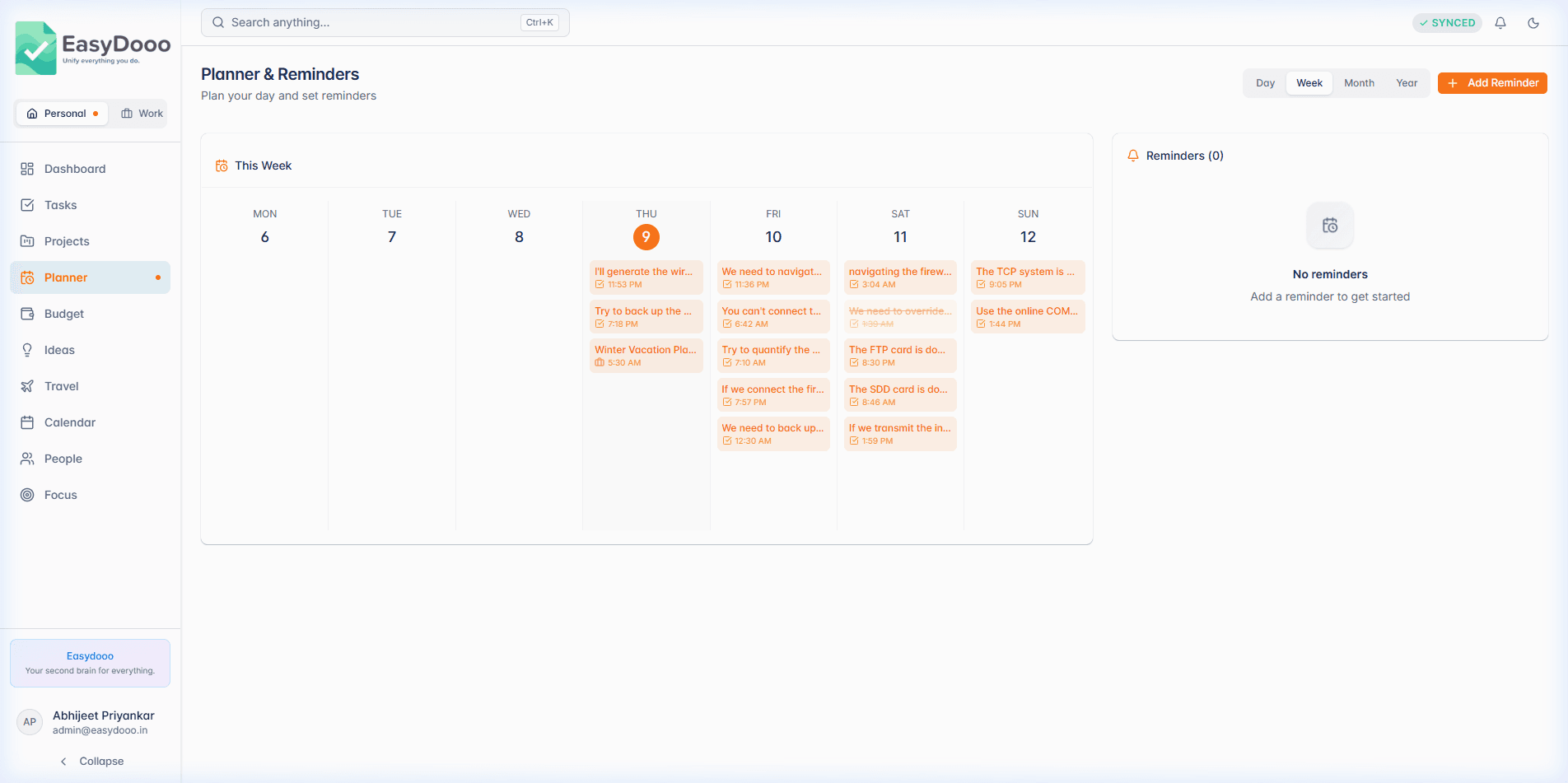
The Planner is your working day: a day, week, month or year view of everything that carries a date, plus a sidebar with today's tasks, reminders, budget and ideas. It shows one workspace at a time, so your Work week never leaks into your Personal one.
Reminders you can just type
Click Reminder and type the whole thing into the title, timing included: “call mom tomorrow at 5pm”. The date and time fields fill in as you type and the phrase is stripped from the saved title, so the reminder ends up called “call mom”. In Day view, hover any hour and click the strip to add a reminder at that hour.
Plan My Day
Today's tasks and anything overdue sit in one list. Drag the grip handle to put them in the order you mean to do them; the order is saved and survives a reload. Tick a row to mark it done, or click it to open the task.
Events with a colour
An event takes a title and a start, with an end, a description, an all-day switch and one of nine colours optional. Switch the range with Day, Week, Month and Year, step with the arrows, and click any month heading in Year view to drop into it.
What it is not
The Planner shows one workspace at a time by design. When you want Personal and Work side by side, that is what the Calendar is for.
Further reading
- Plan your day: today's tasks in the order you will do them
- Keep work and personal tasks separate, in one account
- A due date with no time: how a day stays the same day in every time zone
- Why Android holds your reminders back, and the Reminder check that fixes it
- Two piles: how the work and personal split actually behaves
Planner is on every plan
Start on Free, with no card. Upgrade from Settings when a module earns it.