One app for work and life
Master your tasks
Without the chaos.
EasyDooo replaces the separate apps you keep for tasks, money, trips and the people involved — ten modules, with work and personal life in their own workspaces.
Free plan, no card needed. You'll agree to the Terms and Privacy Notice when you create your account.
Today's tasks
0 of 4 doneThe stack it stands in for
- a to-do appTasks
- a board toolProjects
- a project trackerPlanner
- a budgeting appBudget
- an address bookPeople
- a travel organiserTravel
One app. Ten modules. One login.
Calendar, Ideas, Habits and Focus round out the ten. Tasks, Calendar, Planner, Habits and Focus stay free forever.
Every jump costs you the thread.
Losing the thread isn't a discipline problem. It's a wiring problem — six good tools, none of which can see the other five. The same detail typed twice, the decision made in one app and needed in another, the plan that is only complete in your head.
EasyDooo closes those gaps instead of adding another tab. A trip carries its own entries and its own packing list, and a project names the people on it. The split that makes that safe is the next thing worth understanding.
Tasks, Calendar, Planner and Focus are uncapped on the free plan. Projects and Ideas are on it too, up to 3 and 10.
Ten modules sounds like a lot.
It comes down to one split, one kind of hand-off, and one exception.
EasyDooo splits your life in two before it splits it into modules. Personal and Work are separate sets of data living under a single login — separate tasks, separate projects, separate budget, separate people.
You switch with the toggle in the header, and everything follows at once. There is no second account to sign into, no second subscription, and no folder discipline to maintain. Both workspaces are included on every plan, the free one included.
Personal
- Renew passport
- Kyoto trip — book ryokan
- Call Dad
Work
- Q3 roadmap review
- Ship billing webhook
- 1:1 with Priya
One login. Switch in the header and the whole app follows — tasks, projects, budget, people. Your choice survives a reload.
This is the part a stack of separate apps cannot do. Log an expense on a trip in Travel and it also appears in Budget as an Entry under a Travel category, in the trip's currency. Log a meeting or a call against a Person and the matching Calendar event is added for you.
The link runs both ways: delete the trip expense and its Entry goes too, delete the interaction and the event goes with it. Nothing is copied and left to drift, and you are never reconciling two lists that were supposed to agree.
Travel — trip expense
Ryokan, 2 nights · ¥48,000
Budget — Entry, Travel category
Ryokan, 2 nights · ¥48,000
People — interaction logged
Meeting with Priya Nair
Calendar — event created
Meeting with Priya Nair · 1 hr
You write the record once. Remove it and the copy goes with it — these are two views of one thing, not two things to keep in step.
Keeping work and personal apart is only useful if you can still see the whole week when you need to. Calendar is the deliberate exception to the split: it merges both workspaces into one grid, colour-coded, so a dentist appointment and a roadmap review sit on the same Tuesday.
Planner never does this — it stays inside the workspace you are in, because planning your day is the moment you least want the other half of your life in the way.
This week
Mon
Tue
Wed
Thu
Fri
Calendar is the only view that merges both. Everywhere else, the workspace you are in is the workspace you see.
Everything you do. In two separate piles.
Structured around powerful, purpose-built modules — all keeping your work and personal life distinctly separate.
- Work
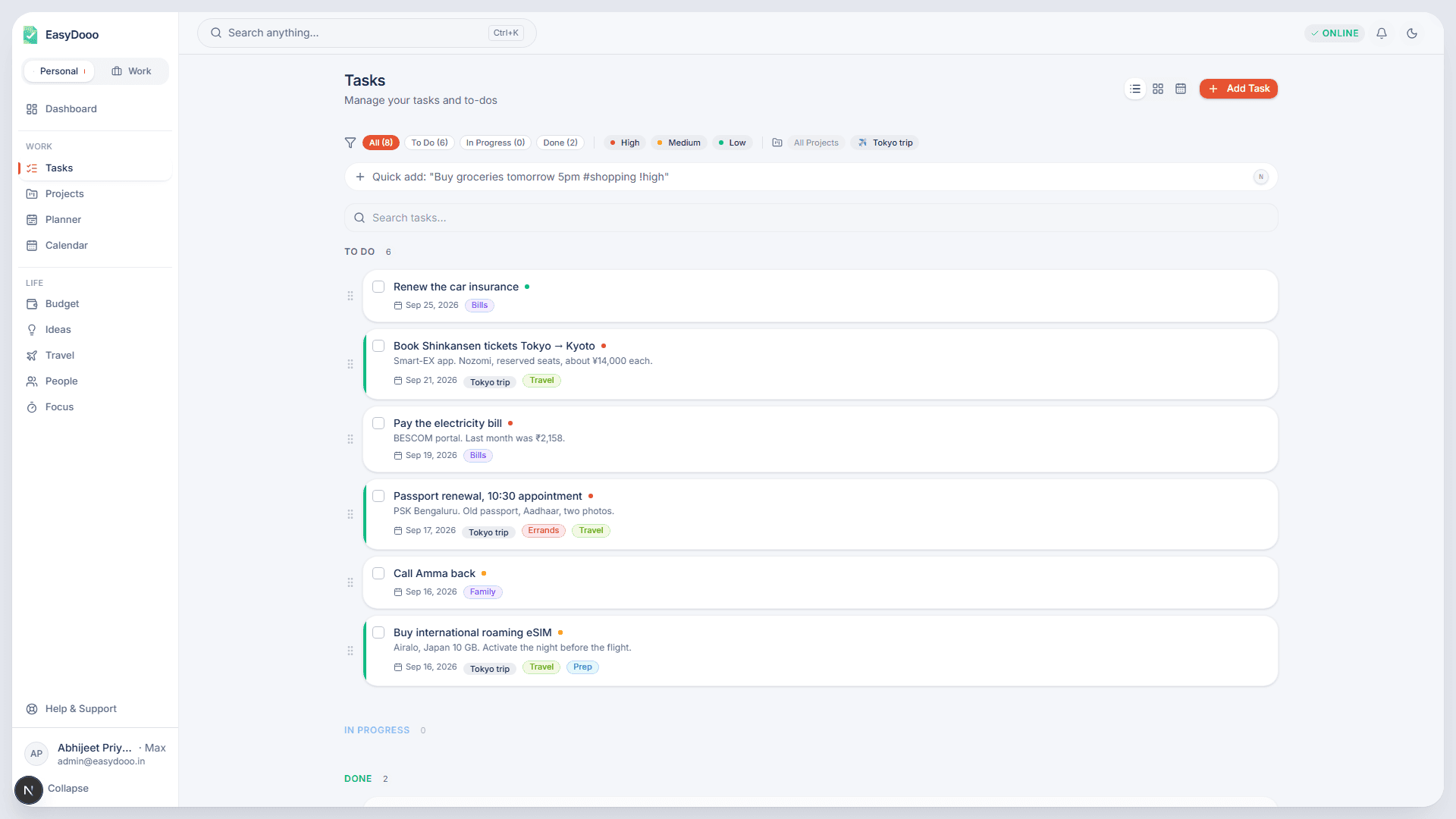
Tasks
Workspaces, projects, tasks and checklists. Rich-text descriptions, cover images and clear due dates on every task.
- Life
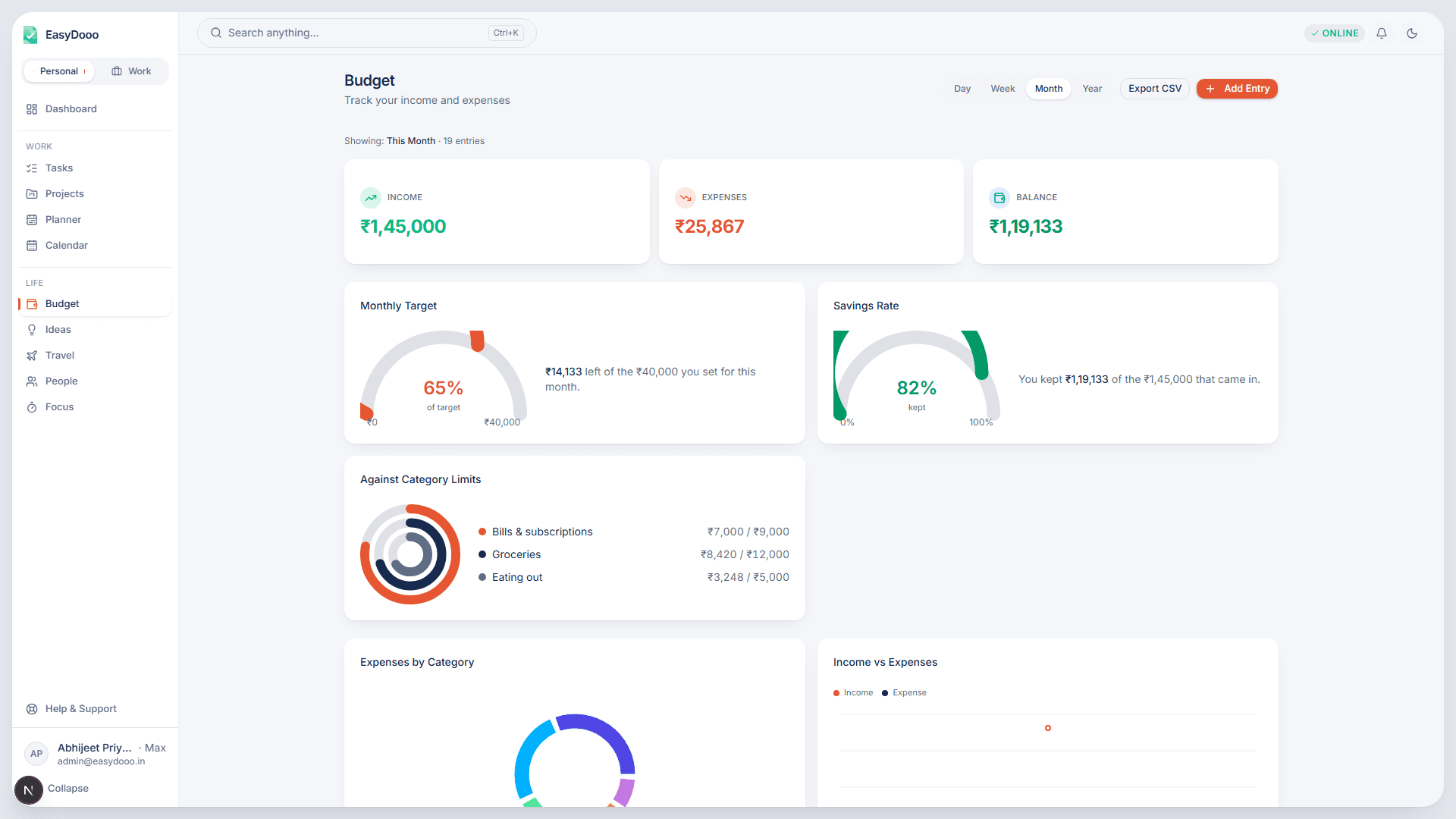
Budget
Income and expense entries in seconds. Totals and trends for any day, week, month or year, in categories you define per workspace.
- Life
Travel
Day-by-day itineraries, a packing list built for trips, and who-paid-what splitting among fellow travellers.
- Life
People
Colleagues, clients and family in one place. Log meetings and calls; link a person to a project, a budget entry or a trip.
- Life
Ideas
RICE scoring, and one press to expand a rough idea into steps: as a plain brief, a SWOT or a lean canvas.
Two steps. The third is just using it.
Sign Up Free
Create your account with Google or email. No credit card, no trial limits — just start.
Set Up Your Spaces
Toggle between Work and Personal modes. Each has its own tasks, budget, and people — zero bleed.
Master Everything
Tasks, budgets, travel, people, and AI ideas — all interconnected, all in one place. Just start doing.
What connects. And what doesn't.
Two hand-offs run on their own, and 101 above shows you both. These are the rest of the map: the links you set off yourself, and the places the wiring deliberately stops.
Links You Set Off Yourself
Tasks → Budget: Put a cost on a task and it files itself as an expense under a Tasks category, in that workspace's budget.
Ideas → Tasks: Press "Convert to Task" and the title, description, priority and tags come across. The idea is marked Planned, not left behind as a second copy.
People → Travel: Put a Person on a trip and the expense split is owed by that Person, rather than by a name you typed in a second time.
✨ One press each. None of them asks you to open a second module to finish the job.
Where The Wiring Stops
Focus: Focus does not put blocks on your calendar. A session you finish shows up on the day you did it; the time you protect for it is still yours to set aside.
Budget: The trip mirror runs one way. An expense you enter straight into Budget stays in Budget — it does not turn up on a trip.
People: A catch-up brief is written from the interactions you logged yourself. It does not read your mail, your messages or your call history.
✨ Stated on purpose. An edge you were told about is not a gap you have to find.
One subscription, or one bill per app.
Everything on the left is in the build today. On the right is the kind of app you would otherwise open for it.
| Feature | EasyDooo | 5+ Separate Apps |
|---|---|---|
| Task Management | A to-do app | |
| People | An address book | |
| Budget Tracking | A budgeting app | |
| Travel Planning | A travel organiser | |
| AI Brainstorming | A separate AI tool | |
| Work-Life Separation | Per app, if offered | |
| Cross-Module Linking | Not across vendors | |
| Offline + Mobile | Varies by app | |
| Single Subscription | One bill per app | |
| Unified Search | One search per app |
Budget and People come with Pro; Travel comes with Max. Free covers Tasks, Calendar, Planner and Focus, plus a limited number of projects and ideas.
Works on the train. Syncs at the station.
Reads From the Last Sync
The Android app writes its query cache to device storage, so a screen you have opened before comes back with its last-synced data and refreshes behind it instead of starting empty.
Offline on Android
The Android app is fully usable offline. Add entries, check off tasks and plan trips with no connection — saves queue with a "Saved offline" note and sync when you reconnect. The web app needs a connection.
Cross-Platform
Access your unified workspace from our beautiful web dashboard or our native mobile app seamlessly.
The half of your week that happens standing up.
The same powerful features you love on the web, reimagined for mobile with native performance, offline access, and haptic feedback that makes every interaction feel alive.
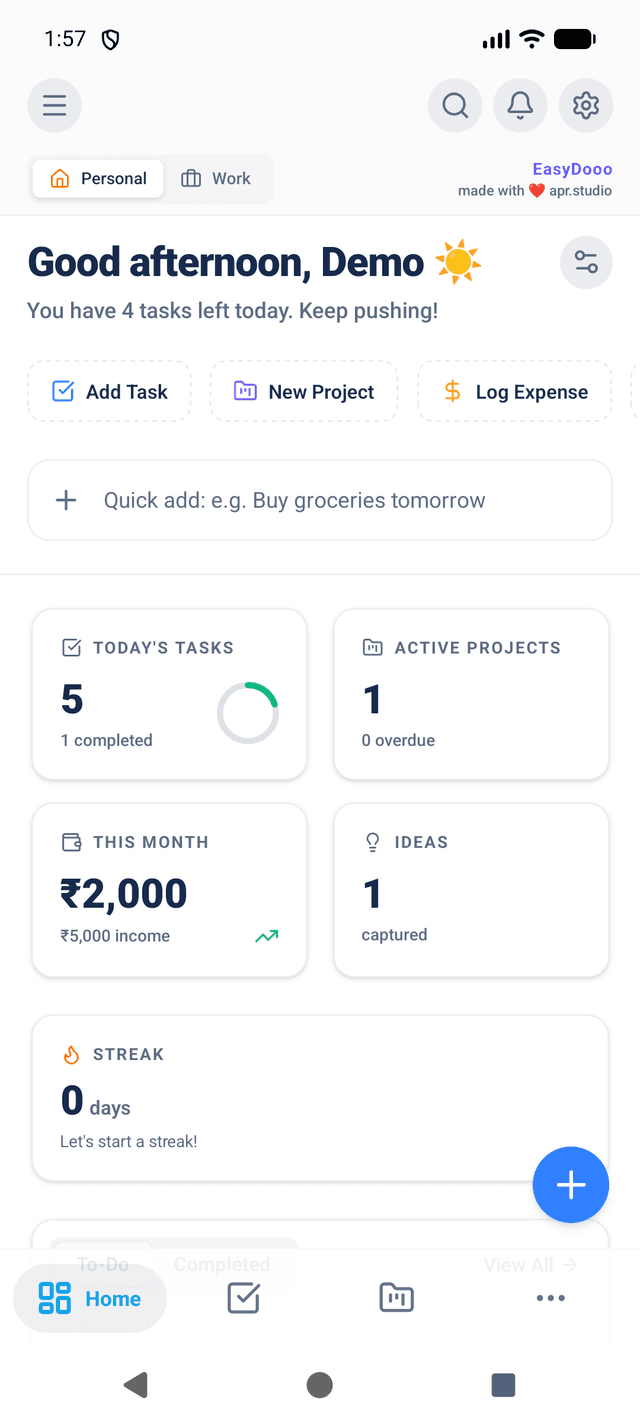
Every module, right in your pocket
Native Gestures
Reanimated transitions, haptics on actions that commit.
Offline on Android
Saves queue as "Saved offline", sync when you reconnect.
Instant Sync
One workspace, every device.
v2.1.68 · 67.8 MB · Android 7.0+
No badges we haven't earned.
We have not been audited or certified, so there is no badge to show you. Here is the list instead: what protects your account, where your data sits, and how you get all of it back out.
Passwords Hashed, Never Stored
Sign in with Google, or with an email and password we keep only as a bcrypt hash at cost factor 12 — there is no copy of it we could read back to you. Every attempt runs one hash comparison whether the address exists or not, so a wrong address and a wrong password take the same time to answer.
Sessions You Can Revoke
Requests travel over HTTPS, and every session token carries a version number that is checked against your account on each one. Reset your password and that number moves: every token issued before it stops working, on every device, without waiting for it to expire.
Token in Secure Device Storage
On Android, the app puts your session token in the platform's secure store — encrypted with a key the OS keystore holds — rather than in ordinary app storage a file browser could read.
Your Data, and the Way Out
Your records sit in a Postgres database on managed infrastructure. Crash reporting in the browser stays off until you switch it on, is scrubbed of personal data before it leaves, and is ingested in the EU. You can export every record as JSON at any time, and deleting your account deletes the rows rather than flagging them.
The dates India forgets, remembered for you.
Card dues, subscriptions, PUC and insurance renewals, and reminders that actually ring on your phone. Every new piece plugs into the tasks, budget, trips and people you already keep here.
The questions we'd ask too.
Everything you need to know about EasyDooo. Can't find the answer? Contact us
Yes! Our Free plan is free forever and includes the core daily modules — Tasks, Calendar, Planner, and Focus — plus a limited number of projects and ideas. Budget and People are part of the Pro plan, and Travel comes with Max.
Start with one list. Add the rest later.
Free covers Tasks, Calendar, Planner and Focus, uncapped. No card, no clock.