One place for the whole piece of work. Three ways to look at it.
Projects group related tasks and track how far each piece of work has got. The same set of projects can be seen as a kanban board, a compact list or a timeline, and each project carries its own tasks, notes, milestones and activity.
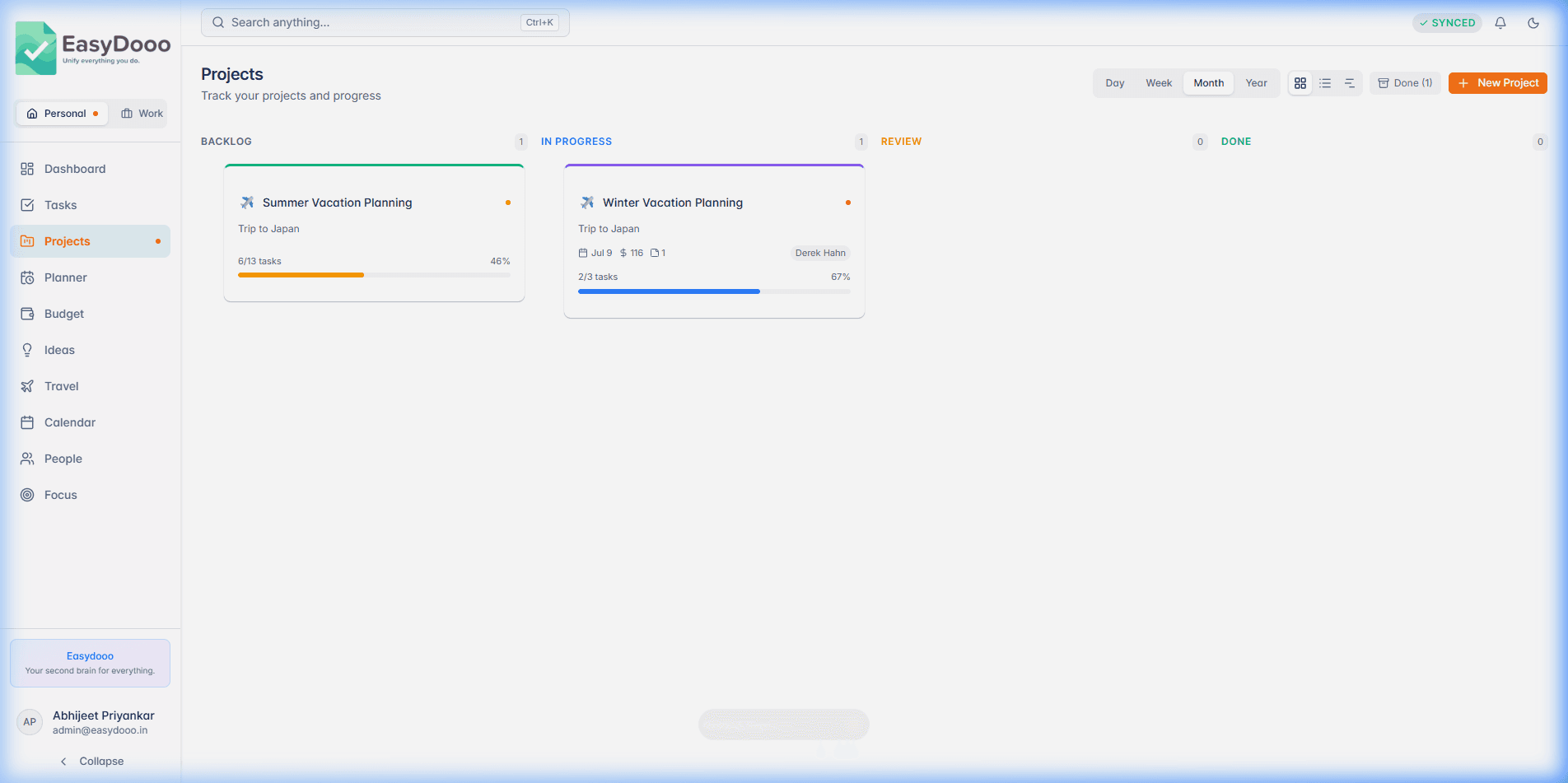
Board, list, timeline
The board has Backlog, In Progress, Review and Done columns; drag a card by its grip handle and the new status saves the moment you let go. The list is the compact view, and the timeline draws each project as a bar from the day you created it to its deadline, against a Today marker.
Tasks that are the same tasks
Open a project's Tasks tab and type a title to add a task already attached to it, or Link Existing to pull in one that has no project yet. These are the same tasks that appear in Tasks, Planner and Calendar, not copies, so finishing one anywhere finishes it everywhere.
Milestones, notes and a log
Milestones sit at fixed percentages along the progress bar and flip between reached and not reached with a click. Notes list newest first, and the first line of each also appears in the project's Activity tab alongside everything else that happened to it.
What it is not
There are no permission roles, approval flows or portfolio roll-ups, and a project's assignee is one of your own people rather than a teammate with a login. Team project tooling is a different product.
Projects is on every plan
Start on Free, with no card. Upgrade from Settings when a module earns it.